Sales Campaign Screen
The Sales Campaign screen is used to create and manage sales campaigns. Sales campaigns are collections of customers who are sent communications from the dealership. For example, a sales campaign could be created to contact customers whose current vehicles are more than five years old and who have a proposed vehicle that is both new and in stock.

|
To access the Sales Campaign screen, click the |
 (Sales Campaign) icon.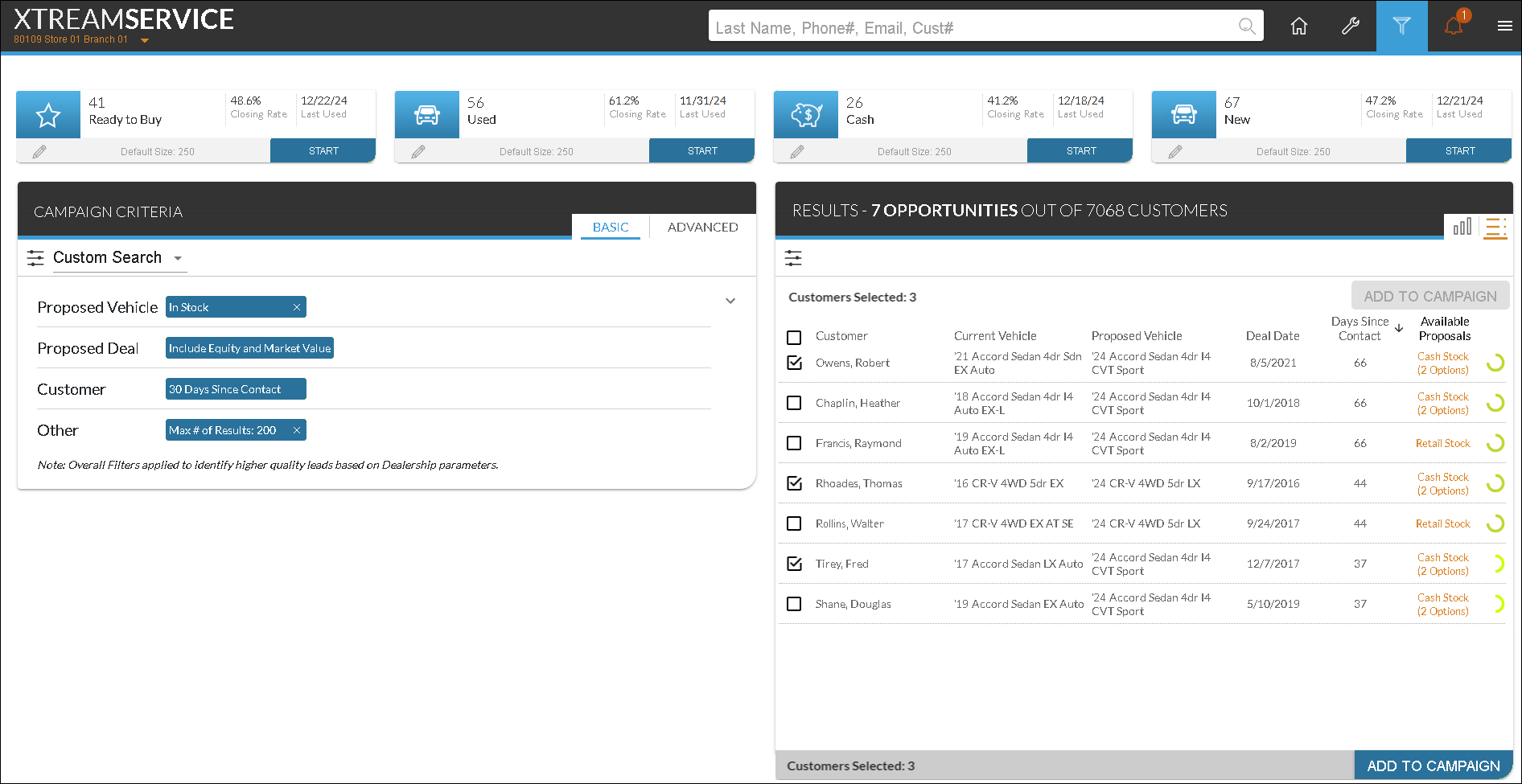
Quick Campaigns display at the top of the Sales Campaign screen. Quick campaigns are used to view details about commonly used sales campaigns.
In addition, The following panels are available on the Sales Campaign screen.
- Pending Campaign panel. The Pending Campaigns panel is used to view information about sales campaigns that have been added but not sent to the Customer application.
- Campaign Criteria panel. The Campaign Criteria panel is used to define criteria for customers to include on a sales campaign or a quick search.
- Results panel. The Results panel is used to view information about customers after a search is performed using the Campaign Criteria panel. Information in this section can be viewed as a detailed list or an interactive graph. Additionally, the List view can be used to add customers to new sales campaigns.
Click here for a list of products that may be mentioned in this help file.